
01
Upload the page image
Use a clear scan or photo. Straight pages with readable text produce the strongest OCR results.
When a document is trapped inside an image, copying text is not enough. PicTranslate recognizes document text, translates it and redraws the translated content back into the original page structure.
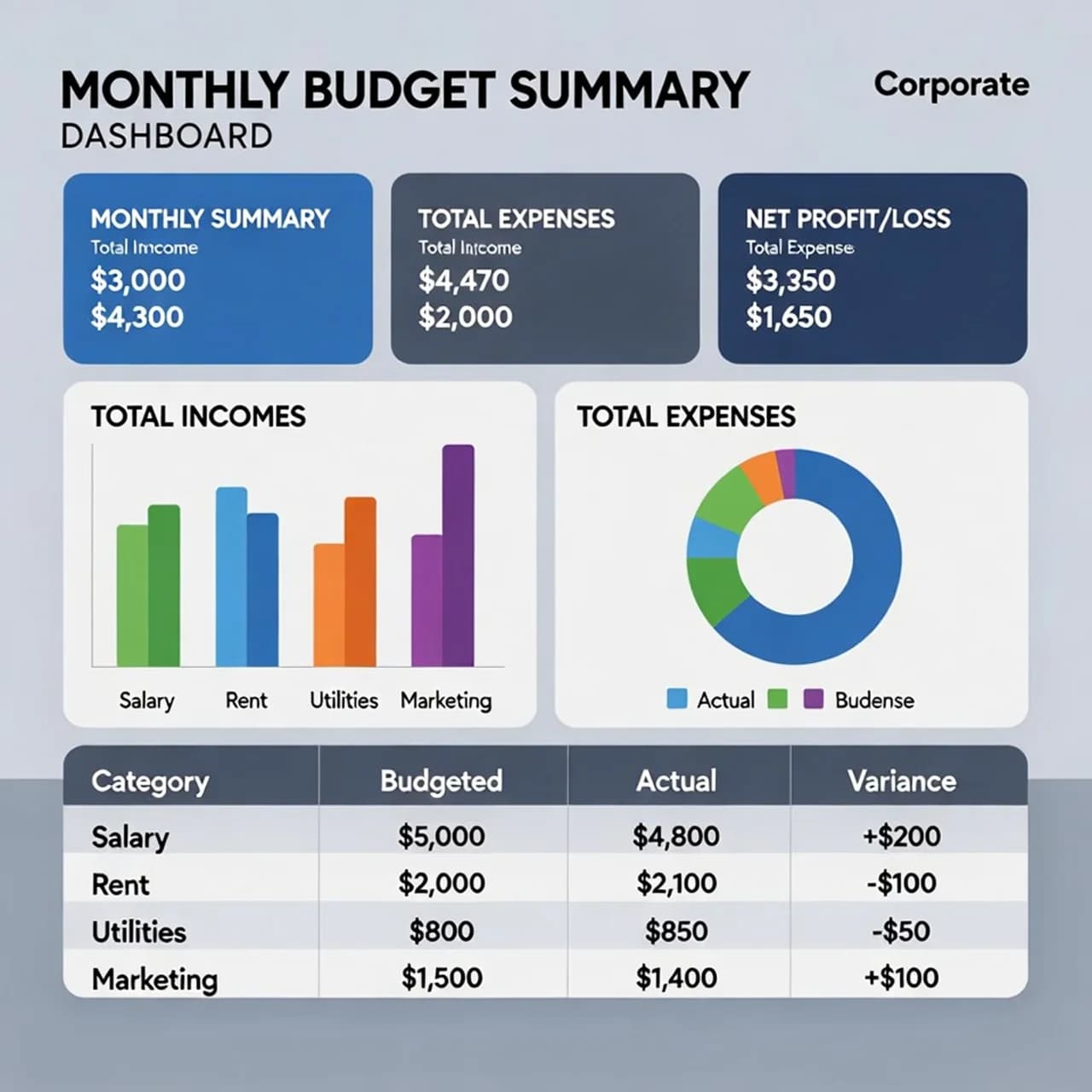
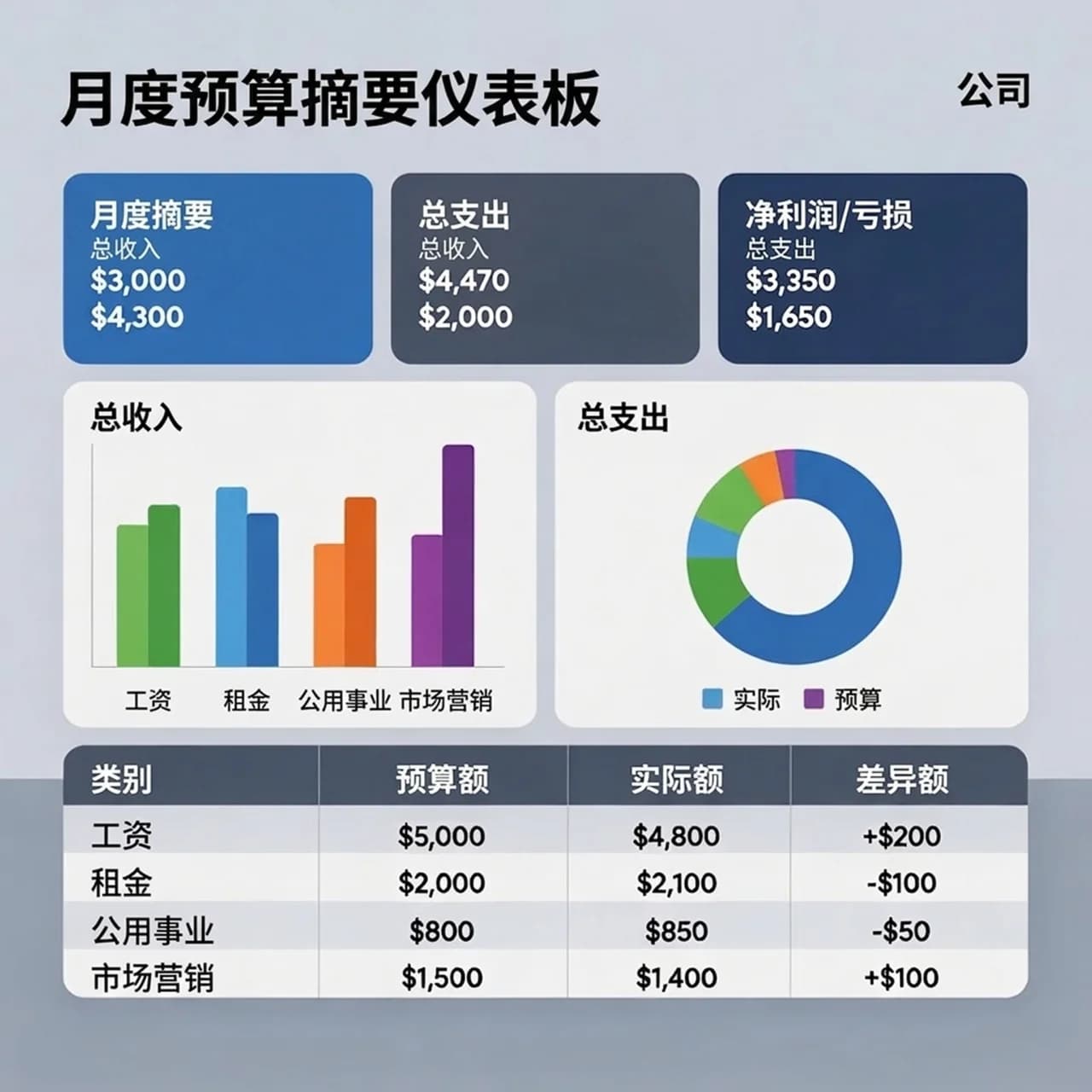
Instruction sheets, forms and photographed pages often need translation without rebuilding the whole document. PicTranslate focuses on the image layer and layout.
Scanned instruction sheets and product manuals
Photographed forms, certificates and printed pages
Technical diagrams with embedded text labels
Course handouts and research screenshots
Use a clear scan or photo. Straight pages with readable text produce the strongest OCR results.
The translation is generated with surrounding labels, headings and section structure in mind.
Use the translated image for review, internal sharing or as a starting point for a final document workflow.
Headings, labels, tables and paragraph blocks stay visually close to the source image.
Document mode is useful for images with more text than ordinary marketing graphics.
You can translate a photographed page before investing time in manual transcription.
This page focuses on document images. For PDFs, export or screenshot the page first, then upload the image.
No. It is useful for reading, review and workflow acceleration, but legal or certified documents should be handled by qualified professionals.
Use high-resolution scans or well-lit photos with minimal skew, blur and shadows.
Upload an image, choose the target language, and let AI preserve the layout while producing a usable translated image.